Overview
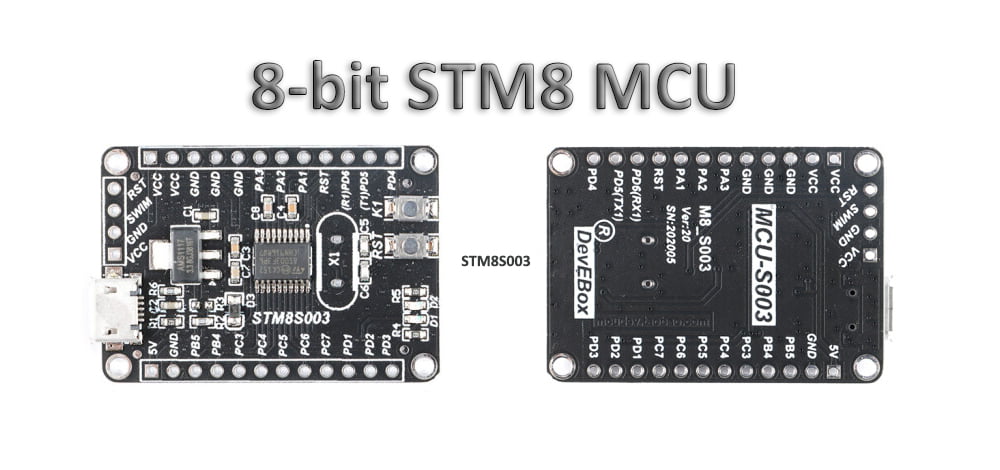
The STM8S103K3T6C is an 8-bit microcontroller used in embedded control designs. When maintaining a board built around this device, start by confirming the exact part, its connections, and the available firmware records. These checks help distinguish a board fault, a communication problem, and a protected device before any programming operation.
This guide provides a documentation-based workflow for authorized firmware assessment. The device specifications below come from STMicroelectronics; the assessment steps describe what to check and record on the board being examined.
STM8S103K3T6C Specifications
ST’s STM8S103K3 product page and DS6120 datasheet identify these characteristics:
| Item | Specification |
|---|---|
| Core | 8-bit STM8, up to 16 MHz |
| Program Flash | 8 KB |
| RAM | 1 KB |
| Data EEPROM | 640 bytes |
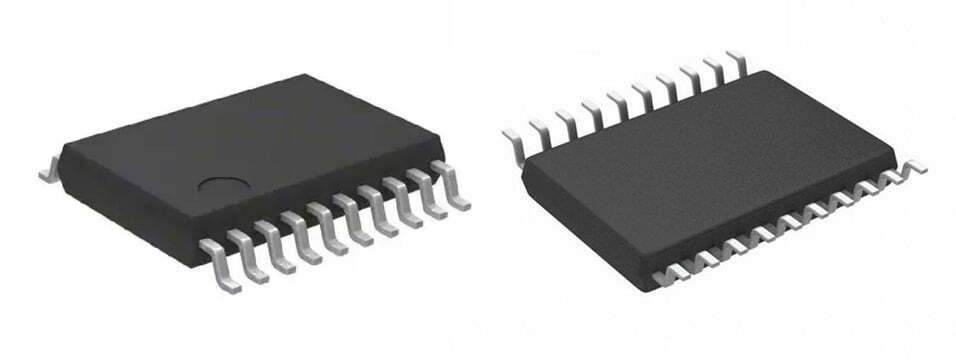
| Package for this ordering code | LQFP32 |
| Programming and debug interface | SWIM |
| Serial peripherals | UART, SPI, I²C |
Program Flash occupies addresses 0x8000–0x9FFF. Keep program memory, data EEPROM, and option bytes separate when describing a read or a backup; a file containing one region does not establish that the others have been preserved.
Identify the Device and SWIM Connections
Photograph the full package marking and pin-1 indicator, and record the board revision. Use the pinout for the installed package rather than copying a connector layout from a different STM8 board.
The STM8S103K3 uses PD1/SWIM for its single-wire programming and debug interface, together with the board’s power reference, ground, and dedicated NRST connection as required by the tool. It does not use the SWDIO/SWCLK pair found on many STM32 devices. Confirm the programmer supports STM8 SWIM and check its connector documentation before wiring.
With power removed, trace the relevant nets and check for shorts. Establish the board’s supply requirements before applying power, avoid powering it from two sources unintentionally, and record any circuitry loading the SWIM or reset net. A failed connection alone does not establish that readout protection is enabled.
Readout Protection and Data Preservation
Readout protection restricts access to the stored program through the programming interface. It is a separate issue from whether an application uses encryption. The STM8S103K3 peripheral map does not include a hardware AES accelerator; any encryption used by a particular product must be established from its actual firmware or design documentation.
ST’s RM0016, section 4.5.1, states that removing readout protection automatically erases program Flash, the DATA area, and option bytes. An unprotect operation therefore cannot be treated as a way to preserve the existing firmware.
If the original contents matter, do not accept an erase, unprotect, or reprogram prompt simply to make the programmer connect. First check for a source repository, release binary, production programming file, or a backup supplied by the product owner. Record the tool’s reported state and the operations already attempted.
A Practical Firmware Assessment Workflow
- Define the objective. Record whether the job concerns fault diagnosis, firmware identification, comparison with a known release, or restoring operation. Confirm authorization and whether preserving the original memory is essential.
- Record the initial condition. Note the board revision, device marking, supply conditions, visible damage, and observed behavior before changing connections or settings.
- Check access without programming. Use a compatible tool to establish communication and inspect the reported status where supported. Keep the connection log and distinguish electrical errors from protection messages.
- Preserve readable data. Where access is permitted and supported, record the exact address range and file format for each saved region. Keep an untouched copy and calculate a SHA-256 hash. Repeated matching reads improve confidence in acquisition consistency; they do not prove that the firmware is correct.
- Compare against a known reference. Check the image size, address placement, version information, and differences from an identified release. Confirm whether a file is a complete image or an update package before interpreting missing regions.
- Separate recovery from reprogramming. If restoring a known image is the agreed next step, document which memories will change and retain all available backups before writing.
What a Useful Assessment Record Contains
A reproducible report should include board photographs, the exact device and package, wiring, programmer model, software version, power conditions, logs, memory ranges, file hashes, and any changes made. State clearly which observations were measured and which conclusions are inferred.
If voltage or current traces are used, keep the original capture with its sample rate, units, probe settings, and calibration details. A timing peak alone does not identify an encryption routine, recover a key, or establish a security vulnerability. Such conclusions require evidence linking the observation to the firmware operation.
A successful read also does not prove that an image is a factory release. A checksum or hash is useful for comparing files; authenticity requires a trusted reference or another documented verification method.
Planning the Next Maintenance Step
The assessment should end with a specific, evidence-based decision: investigate a board-level fault, compare a readable image with a known release, restore an approved firmware file, or pause because the original contents cannot be read through the available documented interface.
For future maintenance, retain release binaries alongside source revisions, toolchain versions, programming settings, and board revisions. Test the restoration process on a spare unit before relying on it for an installed system. These records make later diagnosis more dependable than an undocumented attempt to extract firmware from a single failing board.
Discuss an STM8 board assessment:

Principal Engineer:
Dr. Billy Zheng
Well Done PCB Technology
billy@reversepcb.com
Emergency Support: +86-157-9847-6858