Tutorial de instalação do software TouchGFX Designer

Índice

TouchGFX Designer

O TouchGFX é semelhante ao STemWin. É uma estrutura GUI que permite criar facilmente aplicações GUI em chips STM32 Cortex-M4 e STM32 de nível superior. Este artigo tem como objetivo apresentar o processo de instalação do pacote de software TouchGFX. Antes de fazer isso, é necessário pré-instalar o STM32CubeMX.

Como instalar o TouchGFX Designer?

Faça o download do TouchGFX Designer

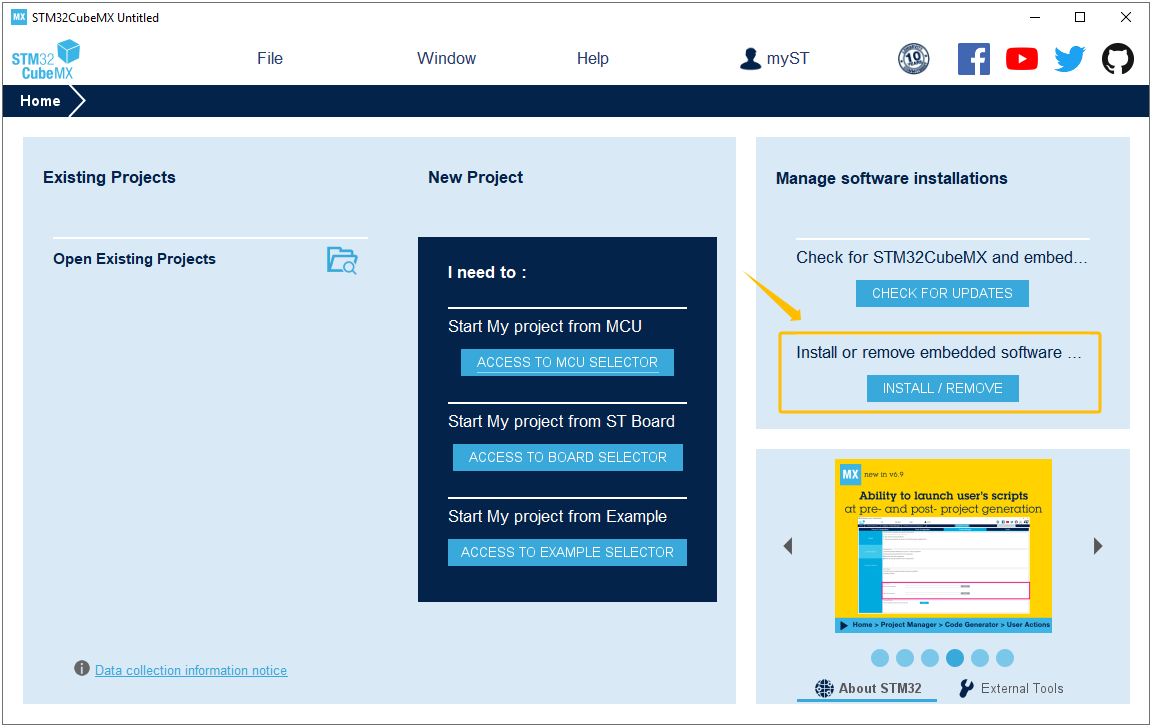
Abra o software STM32CubeMX e clique em "Instalar ou remover pacotes de software incorporados".

Install or remove embedded software packages

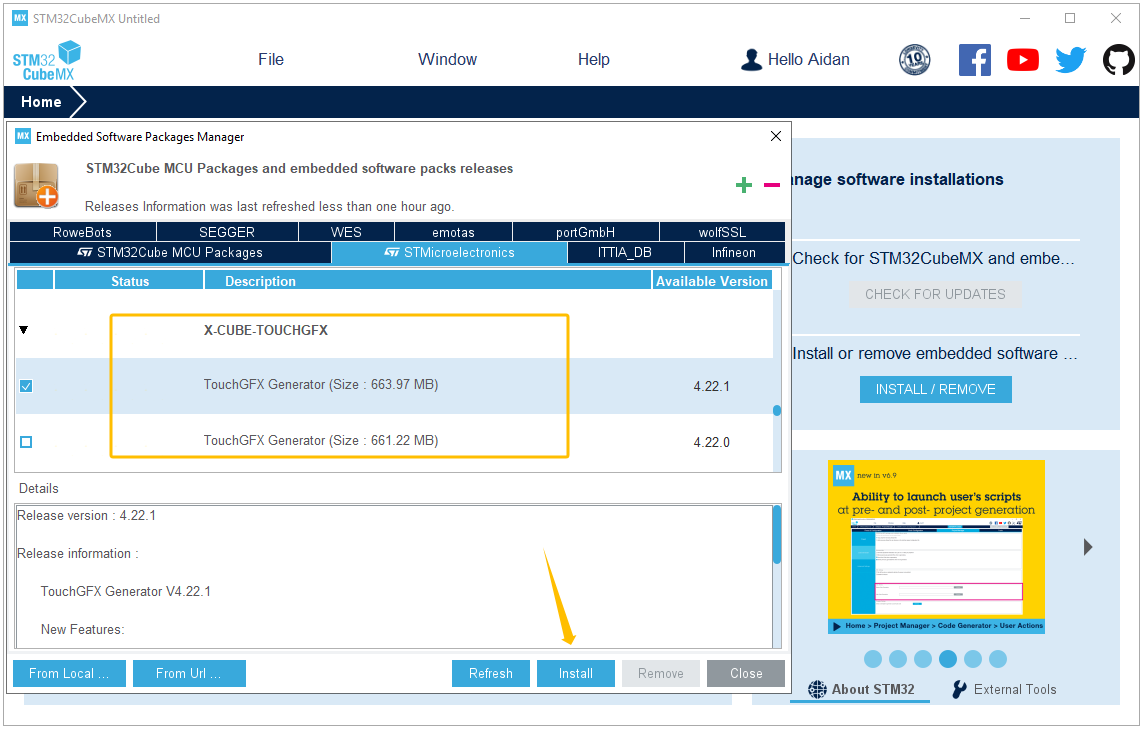
Encontre o pacote de software TouchGFX Generator e clique para instalar (você deve fazer login na sua conta STM32CubeMX antes da instalação).

Select TouchGFX Generator installation package

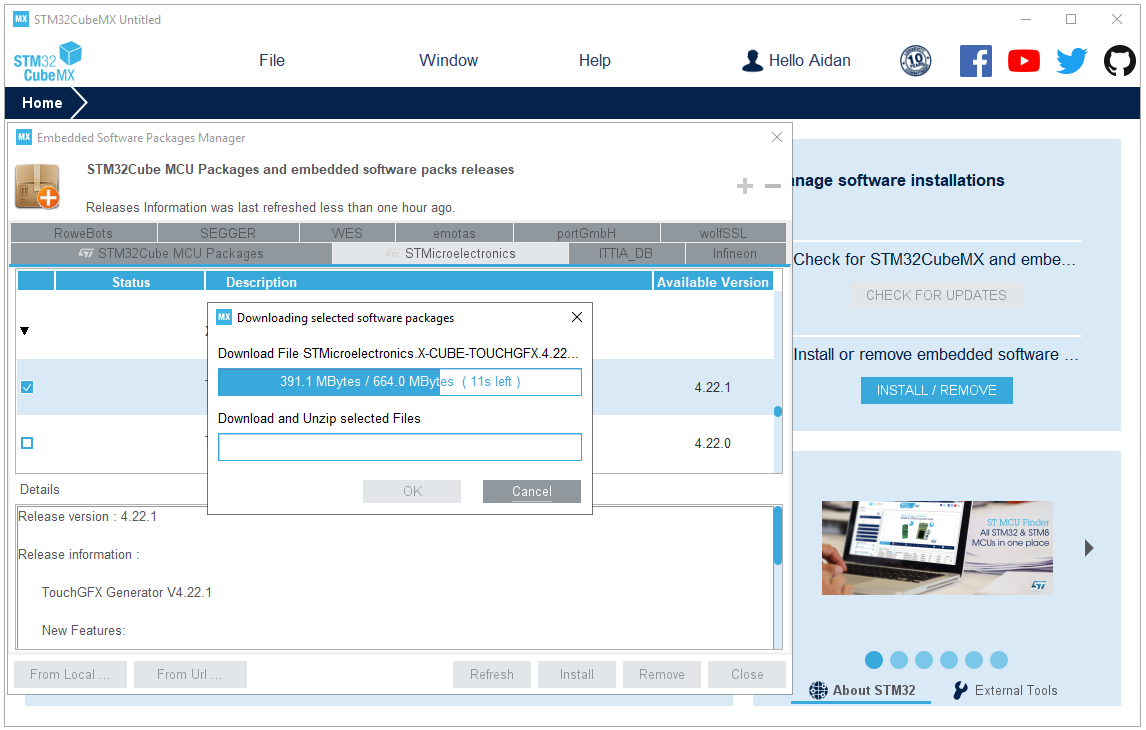
Faça o download e descompacte o pacote TouchGFX.

Downloading selected software packages

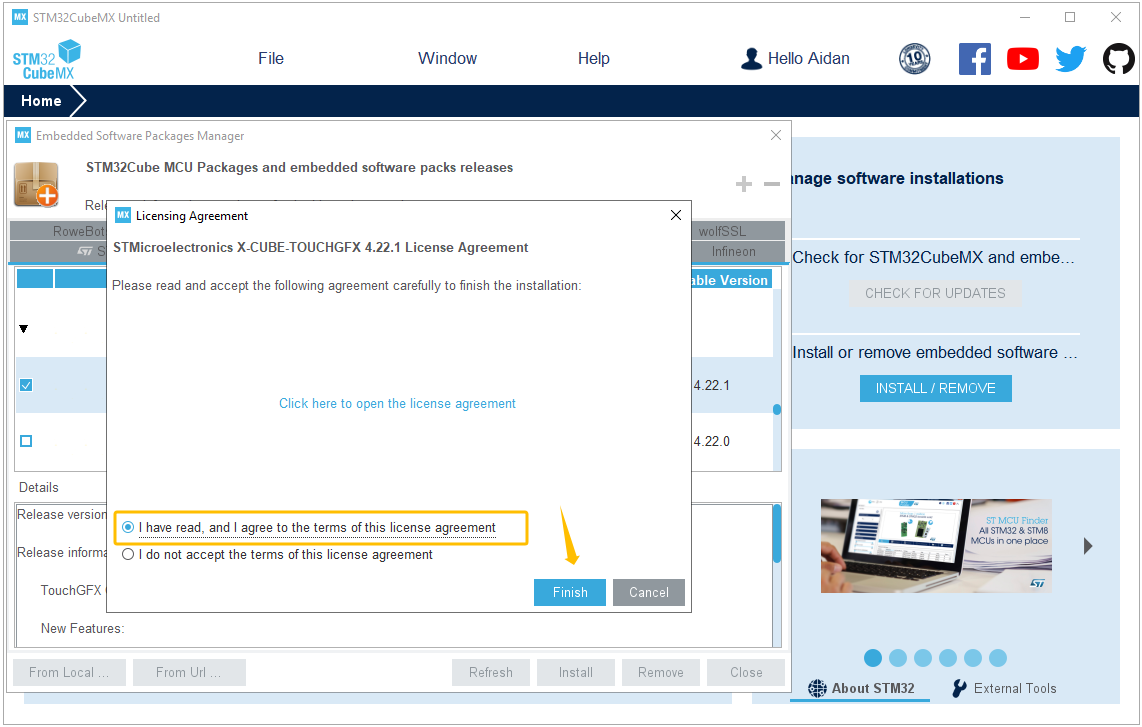
Concordo com os termos do Contrato de Licença.

Accept the license agreement to finish the download

Instale o TouchGFX Designer

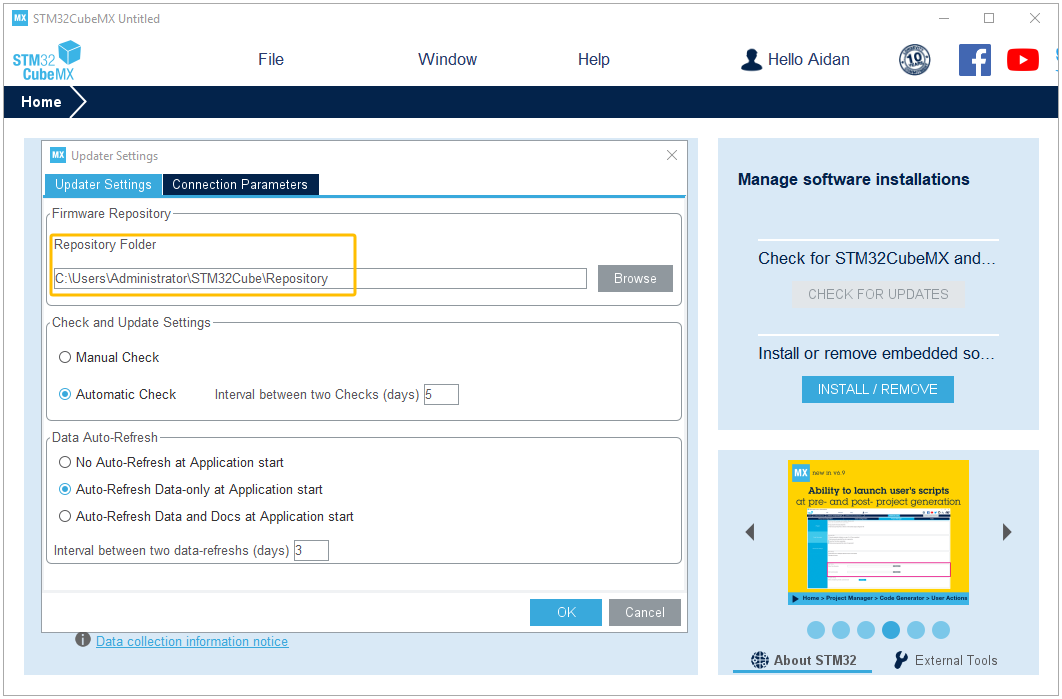
Clique em "Ajuda<<Configurações do atualizador" no menu STM32CubeMX e, em seguida, localize o pacote de software TouchGFX de acordo com o seguinte caminho:

C:\Users\Administrator\STM32Cube\Repository

Locating the Repository Folder to find the TouchGFX package
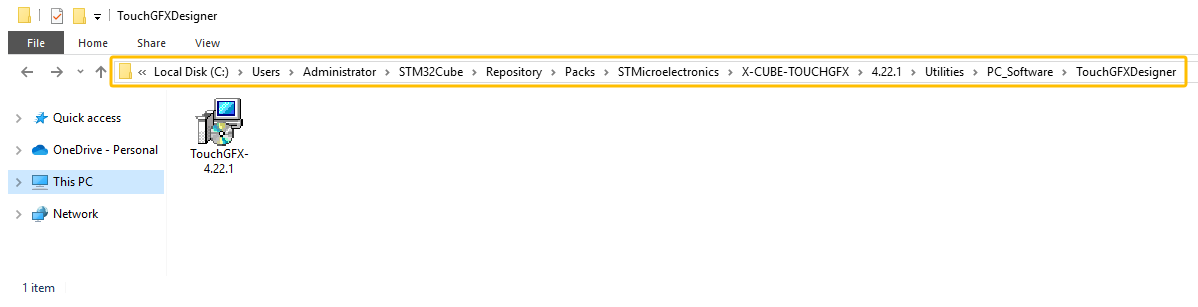
O caminho final do pacote TouchGFX é o seguinte:

C:\Users\Administrator\STM32Cube\Repository\Packs\STMicroelectronics\X-CUBE-TOUCHGFX\4.22.1\Utilities\PC_Software\TouchGFXDesigner

Double click to install TouchGFX package
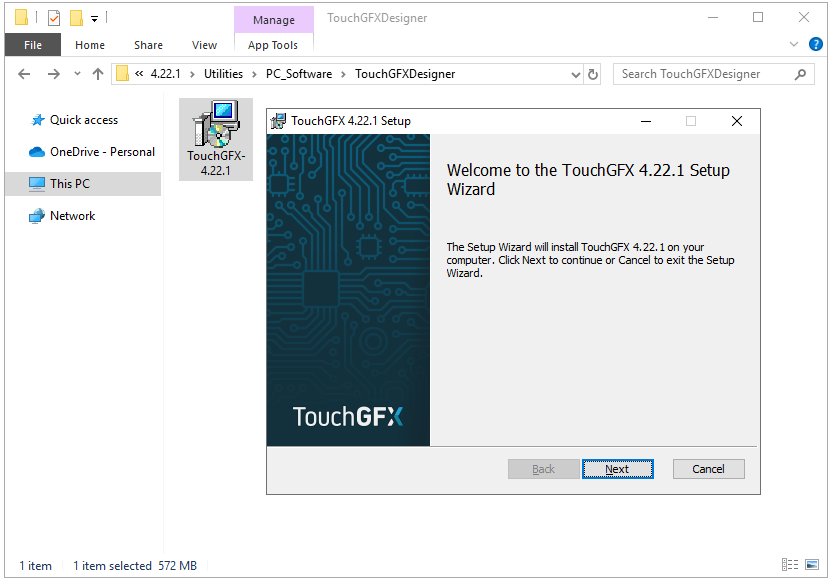
Start to TouchGFX Setup Wizard
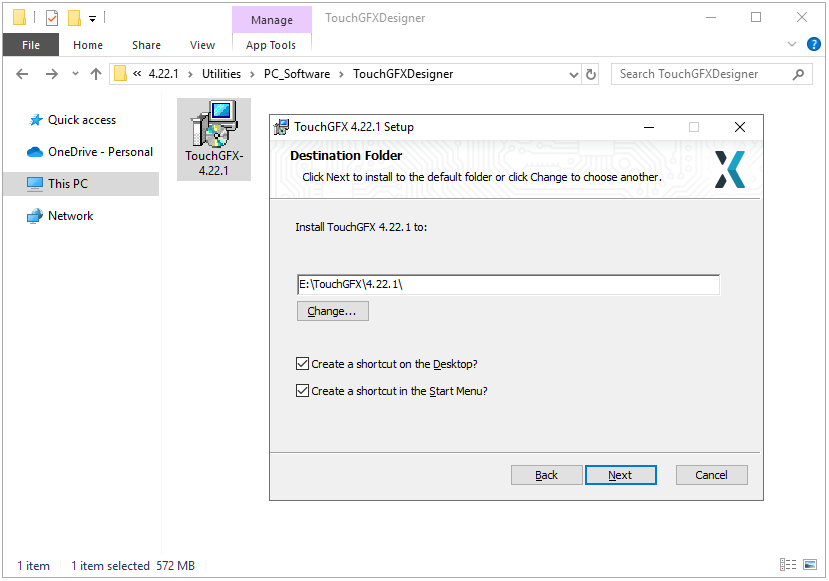
Select the Destination Folder to Install TouchGFX
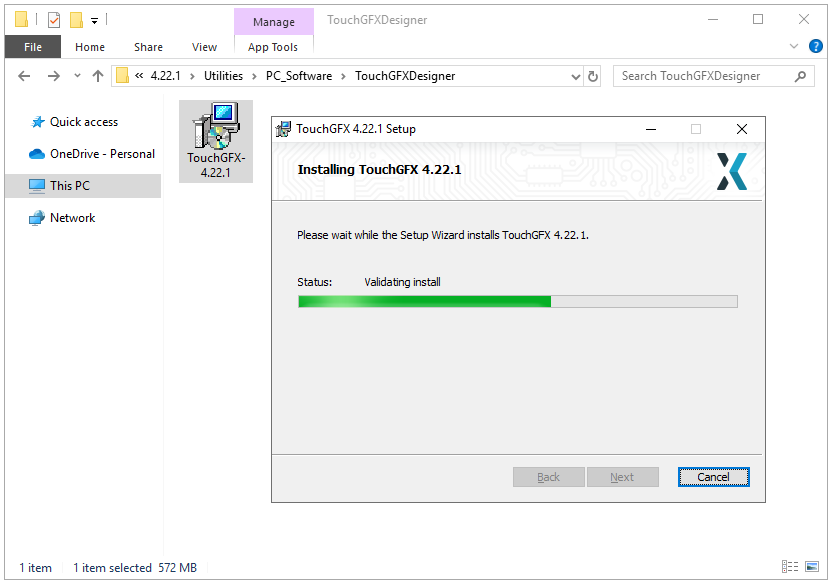
Installing TouchGFX 4.22.1 Version
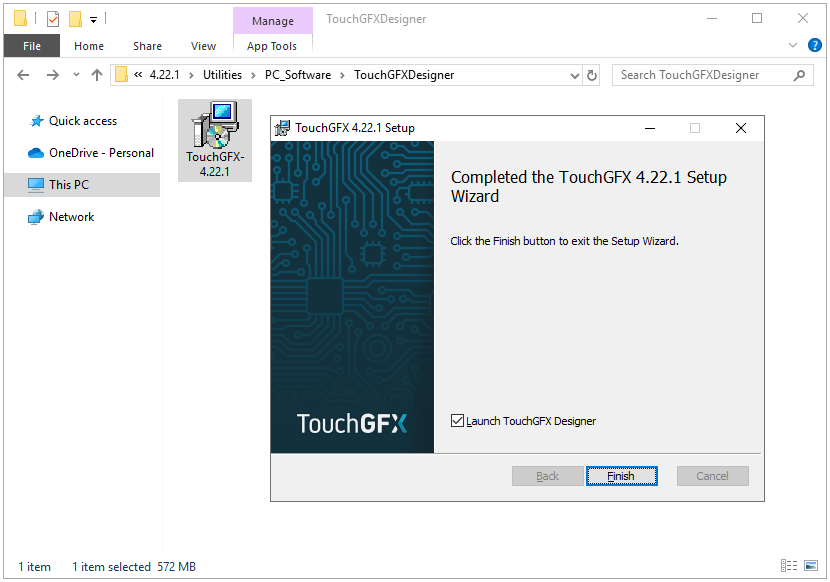
Completed the TouchGFX 4.22.1 Setup Wizard

Inscreva-se

Inscreva-se na nossa lista de assinantes para receber atualizações mensais do blog, notícias sobre tecnologia e estudos de caso. Nunca enviaremos spam e você pode cancelar a assinatura a qualquer momento.

Sobre o autor

Picture of Aidan Taylor
Aidan Taylor

I am Aidan Taylor and I have over 10 years of experience in the field of PCB Reverse Engineering, PCB design and IC Unlock.

Compartilhar

Postagem recomendada

Precisa de ajuda?

Rolar para cima

Instant Quote